Attention-Verified Ad Plugin for WooCommerce

Real Attention
Real People
Real Results

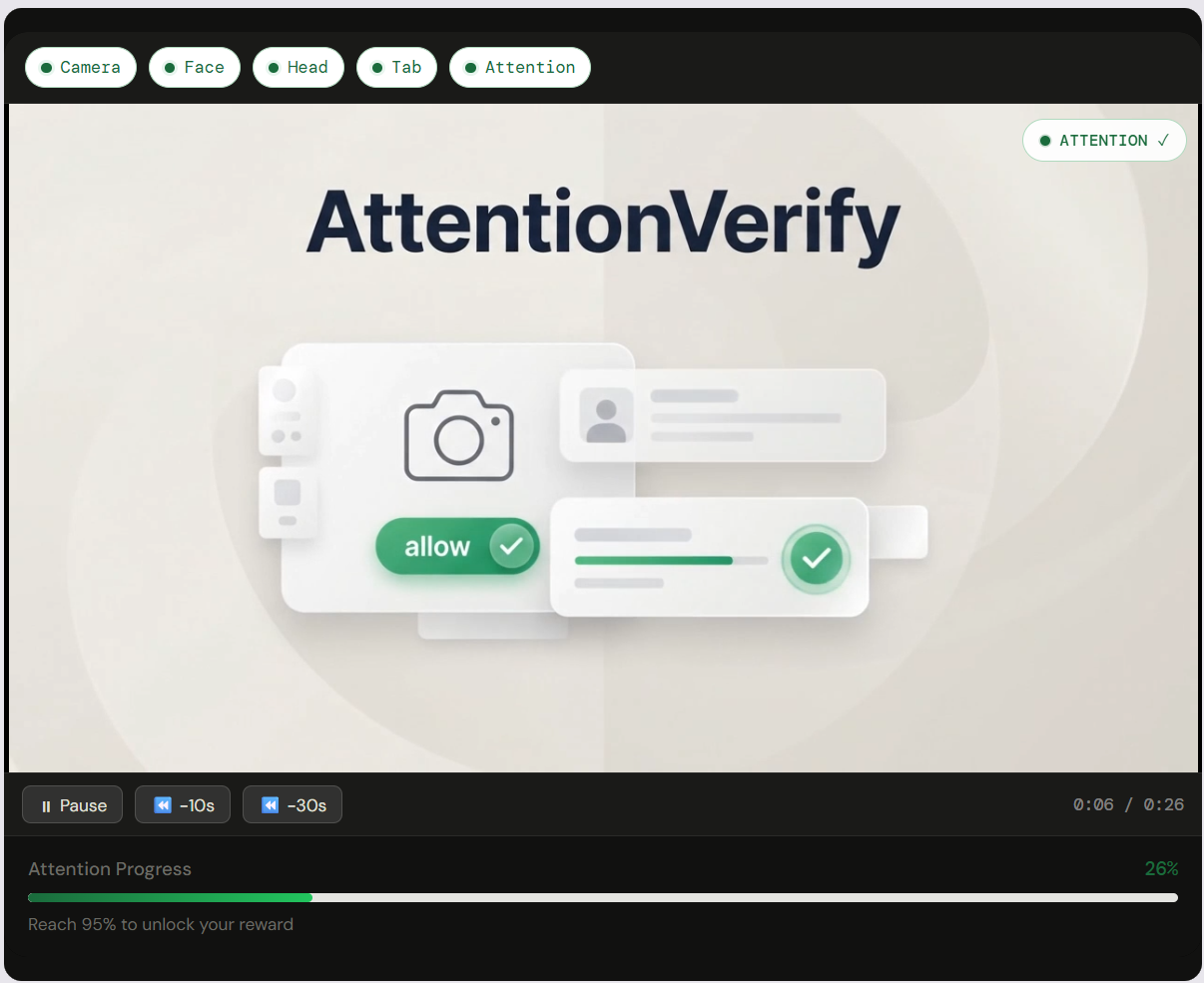
AttentionVerify uses real-time face detection to verify genuine video ad attention before rewarding WooCommerce customers. No fake views. No wasted discounts.
100% client-side · GDPR compliant

AttentionVerify widget verifying a shopper's attention on a product page
95%
Verified attention threshold
0
Personal data stored
100%
Client-side processing
yourstore.com/product/sneakers
Attention verified
0:42
Verified watch time 72% → 95% to unlock
How it works

Verified attention.
Automated rewards.

From product page load to coupon delivery fully automated in under 2 minutes.

Watch AttentionVerify in action (2 min)

01

Camera activates

The customer clicks Start Verification. The plugin requests camera permission and runs a 1–2 second pre-check to confirm face detection is active before the video begins.

02

Attention is tracked

MediaPipe monitors face presence, head pose angle, and tab focus in real time. The timer counts only when all three conditions are valid simultaneously.

03

Timer pauses instantly

Look away, turn your head, or switch tabs the attention timer pauses within milliseconds. A 1.5-second grace buffer absorbs blinks and minor movements.

04

Coupon auto-generates

At 95%+ verified attention, a unique WooCommerce coupon is automatically generated and displayed on screen. Configurable discount, expiry, and usage limit.

Everything you need.
Nothing you don't.

Built specifically for WooCommerce store owners who want ad ROI they can actually measure.

yourstore.com

Real-Time Face Detection

MediaPipe runs entirely in the browser. No server uploads, no API calls, no camera frames stored anywhere.

yourstore.com
Attention verified
0:42
Verified watch time 72% → 95% to unlock

Verified Attention Timer

Counts only genuine watch time. Face must be present, head forward, and tab active simultaneously.

yourstore.com
SAVE20-XK4P
Coupon generated automatically

Auto Coupon Generation

Unique WooCommerce coupon created automatically on verified completion. Discount, expiry, and usage limit fully configurable.

yourstore.com/analytics

Analytics Dashboard

Track verified sessions, completion rates, attention duration, and drop-off data per product and per time period.

yourstore.com
0
Bytes of camera data transmitted

Zero Data Stored

No images, no video, no biometric data ever. Only session metrics saved to Firebase. Fully GDPR and CCPA compliant.

wp-admin/attentionverify
Firebase credentials saved
Video assigned to product
Live no code required

Zero-Code Setup

Enter Firebase credentials once, assign a video to a product, go live. No shortcodes required. Beginner-friendly admin UI.

Pricing

Start free.
Scale as you grow.

No credit card required.

Swipe to compare plans →

Feature FREE$0 PRO$49/mo ENTERPRISECustom Pricing
Views / Month 100 sessions Unlimited Unlimited
Number of Sites 1 1 Unlimited
Face Detection & Attention Timer Yes Yes Yes
WooCommerce Coupon Reward Yes Yes Yes
Basic Firebase Session Logging Yes Yes Yes
Full Analytics Dashboard Basic only Yes Yes
Anti-Cheating Detection Yes Yes
Custom Attention Threshold Yes Yes
AttentionVerify Watermark Shown Removed Removed
White Label / Full Branding Yes
API-Based Reward Integration Yes
SLA + Custom Onboarding Yes
Email Support Yes Dedicated
Monthly
Annual Save 20%
Free
$0
Free forever
  • 100 verified sessions/month
  • 1 website
  • Face detection + timer
  • WooCommerce coupon reward
  • Basic analytics only
Download Free
Enterprise
Custom
Unlimited views · Unlimited sites
  • Unlimited verified views
  • Unlimited websites
  • Everything in Pro
  • White label + full branding
  • API-based reward integration
  • SLA + Custom onboarding
  • Dedicated support
Contact Us → Book a Meeting

Common questions.

Everything you need to know before installing.

No. AttentionVerify never stores any camera frames, images, screenshots, or video recordings. Face detection runs entirely in the customer's browser using MediaPipe. Only session metrics (attention duration, completion status) are saved to Firebase Firestore. No biometric data is collected or stored at any point.
A 1–1.5 second grace buffer absorbs natural blinks and minor head movements. The timer only pauses when attention is clearly lost face leaves frame, head turns significantly, or the tab is switched. Brief glances away won't break the session.
No. AttentionVerify runs entirely in the customer's browser. The only requirement is camera permission which the customer grants directly when they click Start Verification. No app, extension, or download is needed.
Yes. No personally identifiable information is stored. No camera data leaves the customer's device. Only anonymous session metrics (attention duration, session ID, completion status) are saved to Firebase. A camera usage consent notice is shown before the widget activates. Fully compliant with GDPR and CCPA.
AttentionVerify is tested and supported on Chrome, Firefox, and Safari on both desktop and mobile browsers. Camera access requires HTTPS ensure your store runs on SSL (which it should already for WooCommerce payments).
Yes. You can upload a video from the WordPress Media Library or paste any external URL from YouTube, Vimeo, or a self-hosted source. Different videos can be assigned to different products. Swapping a video takes under 60 seconds with no code required.
AttentionVerify requires WooCommerce 8.x or later, WordPress 6.x or later, and PHP 8.x or later. These are the current standard versions for any actively maintained WooCommerce store.
Documentation

Up and running
in 10 minutes.

Step-by-step guides covering every part of the setup no technical experience required.

Read the Full Guide →

Full on-site guide · Install to first verified coupon · Step-by-step, always up to date

Getting Started

Install the plugin, enter your Firebase credentials, and assign your first video to a product.

Firebase Setup

Create a Firebase project, configure Firestore rules, and connect AttentionVerify in under 5 minutes.

Coupon Configuration

Set discount percentage, expiry, usage limits, and coupon prefix from the admin settings page.

Analytics Dashboard

Understand your session data, completion rates, and attention trends per product and per period.

Troubleshooting

Camera not activating? Coupon not generating? Step-by-step resolution for the most common issues.

Upgrading Plans

How to upgrade from Free to Pro one click from inside wp-admin, no reinstall needed.

Start rewarding real attention.

Free to install. No credit card required. Up and running in 10 minutes.

Download Free →